

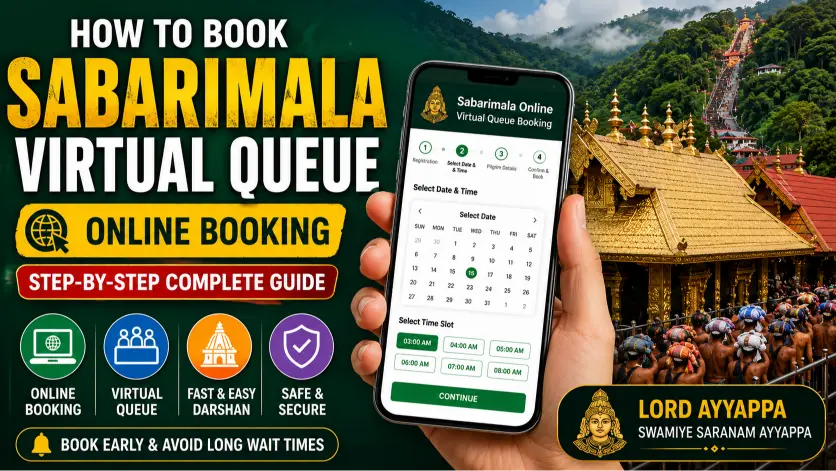
How to Book Sabarimala Virtual Queue Online | Step-by-Step Guide
What is the Sabarimala Virtual Queue?
Benefits of Sabarimala Virtual Queue Booking
1. Reduced Waiting Time
2. Better Crowd Management
3. Convenient Trip Planning
4. Free Online Registration
5. Faster Entry Process
6. Easy Booking from Anywhere
7. Family-Friendly Booking
8. Better Festival Season Management
9. Improved Safety and Security
10. Peaceful Darshan Experience
Documents Required for Sabarimala Virtual Queue Booking
1. Valid Government-Issued Photo ID
Each pilgrim must provide a valid photo identity proof. Accepted documents generally include:
- Aadhaar Card
- Passport
- Voter ID Card
- Driving Licence
- Any other government-approved photo ID
2. Mobile Number
- Register your account
- Receive OTP (One-Time Password) verification
- Get booking-related notifications
3. Email Address
- Create your account
- Receive booking confirmations and updates
- Recover your account if needed
4. Passport-Size Photograph (If Required)
5. Personal Information
- Full Name (as per ID proof)
- Date of Birth or Age
- Gender
- Address
- ID Proof Number
6. Details of Accompanying Pilgrims
- Name of each pilgrim
- Age
- Gender
- Valid ID proof details
7. Travel Details (Optional)
- Expected date of arrival
- Preferred darshan date and time
- Mode of transportation (train, bus, flight, or private vehicle)
Step-by-Step Guide to Book Sabarimala Virtual Queue Online
Booking a Sabarimala Virtual Queue slot online is a simple process that helps devotees plan their pilgrimage in advance and enjoy a hassle-free darshan at Sabarimala Sree Ayyappa Temple. Follow the steps below to complete your registration.
Step 1: Visit the Official Website
Open the official Travancore Devaswom Board booking portal using your preferred web browser.
Official Website:
https://sabarimalaonline.org
Always use the official website to avoid fraudulent or unofficial booking portals.
Step 2: Register a New Account
If you are a first-time user, create an account by entering the following details:
- Full Name
- Mobile Number
- Email Address
- Create a Password
- Complete OTP Verification
Existing users can simply log in using their registered mobile number or email and password.
Step 3: Log In to Your Account
After registration:
- Enter your registered mobile number or email.
- Enter your password.
- Click the Login button.
Step 4: Select "Virtual Queue Booking"
After logging in, navigate to:
- Virtual-Q
- Darshan Booking
- New Booking
The portal will display available dates and reporting time slots.
Step 5: Choose Your Darshan Date
Select your preferred:
- Month
- Date
- Reporting Time Slot
During the Mandala and Makaravilakku seasons, slots fill up quickly. It is recommended to book well in advance.
Step 6: Enter Pilgrim Details
Provide the following information for each pilgrim:
- Full Name
- Age or Date of Birth
- Gender
- Mobile Number
- Government-issued Photo ID Number
If traveling with family or friends, add each pilgrim individually.
Step 7: Upload Required Documents
Upload the required documents if requested:
- Passport-size Photograph
- Government-issued Photo ID
Make sure all uploaded documents are clear and legible.
Step 8: Review Your Details
Before submitting the booking, verify:
- Name
- ID Proof Number
- Darshan Date
- Reporting Time
- Mobile Number
- Email Address
Ensure all information matches your government-issued ID proof.
Step 9: Confirm the Booking
Once all details have been verified:
- Click Submit.
- Wait for the confirmation message.
- Your Virtual Queue booking will be successfully generated.
Step 10: Download Your Virtual Queue Pass
After successful booking:
- Download the Virtual Queue Pass (PDF).
- Save a digital copy on your mobile.
- Take a printed copy for your journey.
Carry both the Virtual Queue pass and the original ID proof during your visit.
On the Day of Your Visit
- Carry your Virtual Queue Pass.
- Bring the original Photo ID used during registration.
- Reach the reporting point at least 1–2 hours early.
- Follow all temple guidelines and security instructions.
- Wear traditional attire as per the temple dress code.
Important Tips
- Book your slot as early as possible during peak pilgrimage seasons.
- Use only the official Sabarimala booking portal.
- Double-check all entered information before submitting.
- Keep both printed and digital copies of your booking confirmation.
- Arrive well before your allotted reporting time.
- Follow the instructions of temple authorities for a smooth darshan.
Following these steps will help you complete your Sabarimala Virtual Queue Online Booking easily and enjoy a peaceful, well-organized darshan of Lord Ayyappa.
Related Blog

How to Plan Your Sabarimala Pilgrimage: Tips, Timings & Rules

Must-Visit Temples During Sabarimala Yatra: A Complete Guide for Devotees

10 Essential Sabarimala Travel Tips for First-Time Ayyappa Pilgrims (2026 Guide)
How to Book Sabarimala Virtual Queue Online | Step-by-Step Guide

How to Reach Sabarimala by Air, Train & Road | Travel Guide